

Grid
Generate grid pattern.
Node Data | |
|---|---|
 | |
Display name | |
Grid | |
Internal name | |
Node_Grid | |
Inheritances | |
| Node_Processor | |
| Node_Grid | |
Inputs | |
Node_Grid | |
dimension |
Dimension |
surface |
Uv Map |
slider |
Uv Mix |
surface |
Mask |
vec2 |
Position |
rotation |
Angle |
bool |
Invert Size |
vec2 |
Grid Size |
bool |
Uniform Gap |
float |
Gap Width |
bool |
Diagonal |
slider |
Gap |
enum |
Shift Axis |
slider |
Shift |
slider |
Random Shift |
seedfloat |
Shift Seed |
slider |
Secondary Shift |
slider |
Random Scale |
seedfloat |
Scale Seed |
float |
Secondary Scale |
enum |
Render Type |
seed |
|
gradient |
Tile Color |
color |
Gap Color |
surface |
Texture |
bool |
Use Texture Dimension |
bool |
Anti-Aliasing |
range |
Level |
bool |
Truchet |
seedfloat |
Texture Seed |
vec2_range |
Random Position |
rotation_range |
Random Angle |
vec2_range |
Random Scale |
slider |
Flip Horizontal |
slider |
Flip Vertical |
Outputs | |
Node_Grid | |
surface |
Surface Out |
Attributes | |
| Color Depth | |
| Interpolation | |
| Oversample | |
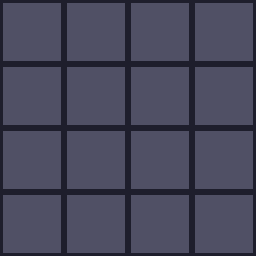
Properties
Gap
Thickness of the gap between grid.
Shift
Shift every even row by a fix amount to create brick pattern.
Shift Axis
The axis to apply shift to.
Rendering Modes
Colored Tile
Fill each grid with different color sampled from the Tile Color property. The Gap Color control the color of the gap between tile.

Height Map
Render the grid out as height map.

Texture Grid
Fill each grid with the texture from the Texture property. This mean each cell will contain the full surface.

Texture Sampler
Fill each cell with solid color sampled from the Texture.

Truchet Properties
Toggling on the Truchet when using the Texture Grid mode will rotate the sampled texture randomly. Using this effect with a surface with rotational symmetry to create an interesting image.

Flip
The Flip Horizontal and Flip Vertical properties are used to control how often a surface will be flip on each axis accordingly.
Angle
The Angle property adds random rotation to each surface.
Related Links
- Base Code: /scripts/node_grid/node_grid.gml
- Shader [sh_grid]: /shaders/sh_grid/sh_grid.fsh